
Hoarding and Photo Editor18.0 - AppGallery
You'll be able to see results in few seconds.
Publisher Description




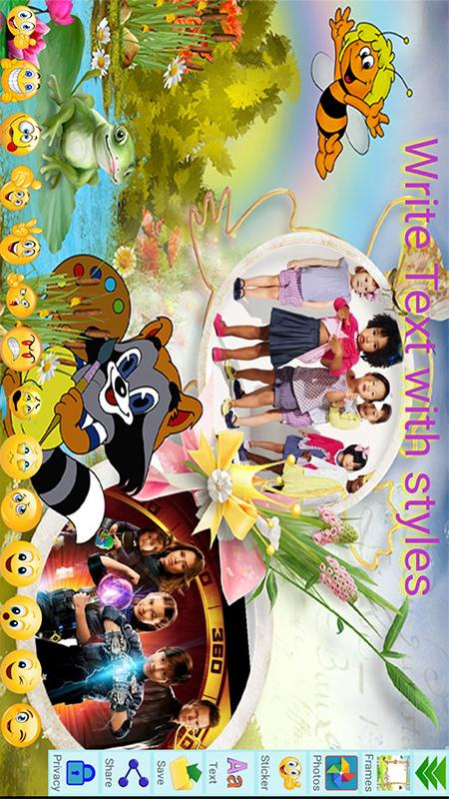

Photo Frames: Hoarding and Photo Editor is one of the best photo editors which can bring beautiful frames to your photos.
- Choose a photo from Album, select a frame, generate your photo frames, and have the best photo frame.
With Photo Frames: Hoarding & Photo Editor, you can add new frames to your favorite photos
- Photo Frames: Hoarding & Photo Editor Editor contains templates, text with fun fonts, photo effects, backgrounds, stickers, grid and layout options, emojis and exciting photo editor tools to make your photos become extra special and really beautiful photos. You can spice up your photos using stickers, or make them look creative with effects using Photo Frames: Hoarding & Photo Editor!
- The Photo Frames: Hoarding & Photo Editor are also updated very often to give you more options.
- Photo Frames: Hoarding & Photo Editor is a powerful collage maker for you to create amazing collages using your photos, text with cool fonts and frames.
- Photo Frames: Hoarding & Photo Editor Editor has a very simple user interface, which everybody can use. With a powerful photo editor, Photo Frames: Hoarding & Photo Editor gives you everything you need to create amazing collages of your photos.
- Create photo collage with lots of layouts in seconds. Easy to make a beautiful photo collage.
- Combine up to 10 photos to create pic collage.
How to use:
- Launch Photo Frame app, then tap Start
- Select a photo from Gallery or change the frame by select frames
- Edit, crop, rotate, etc… your photo using Photo Frames: Hoarding & Photo Editor
- Save your collages or edited photos.
- View your photos in Gallery
- Share the photos with your friends on Facebook, Twitter, IG, Whatsapp, Beetalk, etc…
Features:
- Create a professional Photo Frame instantly.
- Multiple frames
- The photo frames are all very nicely and meticulously designed which are suitable for all users
- Free-style Photo composition: You can customize the layout of your photos, and develop your creativity. It is very interesting!
- Allows you to combine multiple photos with different image layouts.
- Pick the layout you like best;
- Create a professional Photo Frame instantly.
- Myriads of layouts for photo grids as well as collage layouts.
- Add text, emoticons, smileys, emojis, clip arts, stickers and text to your photos and collage.
- Choose photos from your gallery
- See them laid out in a cool collage
- Edit the collage to make it your own and unique!
- Lots of backgrounds and stickers available to choose!
- A lot of magazine templates which are fit for any occasion.
- You can combine multiple photos with various photo layouts.
- Easy to add TEXT or STICKERS!
- Add emojis, smiles, clip arts, text, stickers and text to your photos and collage.
- Add text with fun fonts
- Numerous stickers, emojis and smileys to decorate your photos.
- A lot of shape collages of different layouts.
- Photo Frames: Hoarding & Photo Editor is a great collage maker and photo editor!
- Share your collage photos on Gmail, Whatsapp, Instagram, Facebook…
About Hoarding and Photo Editor
The company that develops Hoarding and Photo Editor is Saba Shaheen. The latest version released by its developer is 18.0.
To install Hoarding and Photo Editor on your Huawei device, just click the green Continue To App button above to start the installation process. The app is listed on our website since 2023-05-30 and was downloaded 0 times. We have already checked if the download link is safe, however for your own protection we recommend that you scan the downloaded app with your antivirus. Your antivirus may detect the Hoarding and Photo Editor as malware if the download link to C102804341 is broken.
How to install Hoarding and Photo Editor on your Huawei device:
- Click on the Continue To App button on our website. This will redirect you to Huawei Store.
- Once the Hoarding and Photo Editor is shown in the Huawei Store listing of your Huawei device, you can start its download and installation. Tap on the Install button located below the search bar and to the right of the app icon.
- A pop-up window with the permissions required by Hoarding and Photo Editor will be shown. Click on Accept to continue the process.
- Hoarding and Photo Editor will be downloaded onto your device, displaying a progress. Once the download completes, the installation will start and you'll get a notification after the installation is finished.
Program Details
System requirements
Download information
Pricing
Version History
version 18.0
posted on 2023-05-30
Disclaimer
Official AppGallery Link
We do not host Hoarding and Photo Editor on our servers. We did not scan it for viruses, adware, spyware or other type of malware. This app is hosted by Huawei and passed their terms and conditions to be listed there. We recommend caution when installing it.
The AppGallery link for Hoarding and Photo Editor is provided to you by apps112.com without any warranties, representations or guarantees of any kind, so access it at your own risk.
If you have questions regarding this particular app contact the publisher directly. For questions about the functionalities of apps112.com contact us.
